
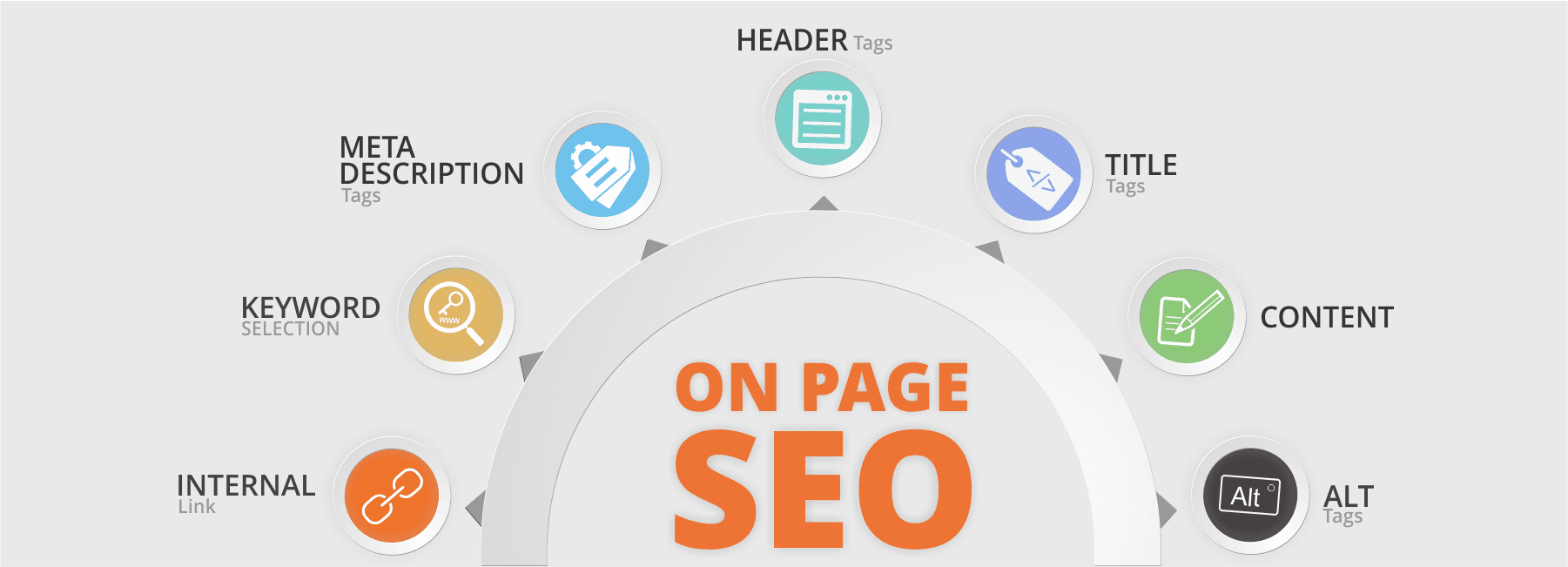
How to Optimize Your Website for SEO
Search engine optimization (SEO) helps search engines understand your website and helps people find useful pages when they search online. Effective SEO is not about tricking algorithms. It’s about making your site clear, helpful, accessible, and relevant to the people you want to reach.
Whether you manage a small business website or a growing online store, the following steps can help strengthen your SEO foundation.
Start With Keyword Research
Keyword research helps you understand the words and questions your potential customers use in search. Look for phrases that relate to your products, services, location, and customers’ needs.
- Focus on search terms that match the purpose of each page.
- Consider specific, longer phrases, such as “emergency plumbing service in Portland,” instead of only broad terms like “plumber.”
- Review the questions customers ask during sales calls, in emails, and on social media.
- Use keyword research tools to explore search demand and related topics.
Choose one primary topic for each page. Include related terms naturally, but avoid repeating keywords unnaturally or creating pages that target nearly identical phrases without a clear purpose.
Create Helpful, Original Content
Useful content is central to long-term SEO. Each page should give visitors a clear reason to stay, learn, or take action. Address the topic directly, answer common questions, and provide details that reflect your experience or expertise.
Before publishing, ask:
- Does this page answer the visitor’s likely question?
- Is the information accurate, clear, and current?
- Does it offer something useful that isn’t already covered elsewhere on the site?
- Is the next step obvious to the reader?
Write for people first. Avoid thin pages created only to target keywords, copied content, and unsupported claims. Update important pages when your services, pricing, policies, or industry information changes.
Optimize Page Titles and Headings
Every important page should have a clear, descriptive title tag. Title tags can appear as clickable headlines in search results and browser tabs. Keep each title unique and concise, and accurately describe the page.
Use a clear heading structure in your content. The page should generally have one main <h1> heading, followed by relevant <h2> and <h3> headings. Headings should organize information for readers—not just provide places to insert keywords.
Write Useful Meta Descriptions
A meta description is a short summary that may appear beneath a page title in search results. It is not a direct ranking guarantee, but a clear description can help people decide whether your page fits their needs.
Summarize the page accurately, mention its main benefit, and use a natural call to action when appropriate. Write a distinct description for each important page, and avoid keyword stuffing or promises the page cannot fulfill.
Make Your URLs Clear
Use short, readable URLs that describe the page. For example, example.com/seo-services is easier to understand than a long URL full of random numbers and parameters.
- Use lowercase letters and hyphens between words.
- Keep URLs focused on the page topic.
- Avoid changing established URLs without a good reason.
- If a URL must change, set up a permanent redirect from the old address to the relevant new one.
Improve Site Speed and Mobile Usability
Visitors expect pages to load smoothly on phones, tablets, and computers. A slow or difficult-to-use site can frustrate visitors and make it harder for them to complete a task.
To improve performance, compress and properly size images, remove unnecessary scripts, use reliable hosting, and reduce bulky page elements where possible. Test key pages on mobile devices, checking that text is readable, buttons are easy to tap, and important content is not hidden or cut off.
Use Descriptive Image Alt Text
Alt text describes an image for people using screen readers and provides context when an image cannot load. Write concise, accurate descriptions for meaningful images. If an image is purely decorative, use empty alt text so assistive technology can skip it.
Also use descriptive file names and compress images to reduce file size. Avoid stuffing alt text with keywords or repeating information that is already clear from nearby text.
Build Helpful Internal Links
Internal links connect pages on your website. They help visitors discover related information and help search engines find and understand your content.
Link relevant pages using descriptive anchor text. For example, “view our home remodeling services” is more informative than “click here.” Make sure important pages can be reached through your site’s navigation or other logical links, rather than leaving them isolated.
Earn Relevant Backlinks
Backlinks are links from other websites to yours. Relevant links can help people discover your business and may contribute to your site’s reputation. Focus on earning links by publishing useful resources, sharing original insights, building community relationships, and participating in legitimate industry or local organizations.
Avoid buying links or using schemes designed to manipulate rankings. These tactics can put your site at risk and rarely build lasting trust.
Set Up Technical SEO Basics
Technical SEO helps search engines access, crawl, and interpret your website. Review these essentials:
- Use HTTPS to secure your site.
- Create and submit an XML sitemap through Google Search Console and other relevant webmaster tools.
- Check that important pages are not accidentally blocked from search engines.
- Use canonical tags when appropriate to identify the preferred version of a page.
- Fix broken links and redirect outdated URLs to relevant pages.
- Use structured data only when it accurately describes the content and follows search engine guidelines.
Optimize for Local Search
If your business serves a specific area, local SEO can help nearby customers find you. Keep your business name, address, and phone number consistent across your website and important directories. Create or update your Google Business Profile, choose accurate categories, and add current hours and service details.
Include location information where it is genuinely useful, such as on service-area pages. Encourage customers to leave honest reviews, and respond professionally. Avoid creating many nearly identical location pages with little unique value.
Measure Results and Keep Improving
SEO takes time, so track progress rather than relying on a single ranking check. Tools such as Google Search Console can show which searches lead people to your site, which pages receive impressions and clicks, and whether search engines encounter indexing issues. Analytics tools can help you understand what visitors do after they arrive.
Review your data regularly. Look for pages that are gaining visibility, pages that have lost traffic, and questions your existing content does not answer. Use what you learn to improve pages, fix technical issues, and plan future content.
A Practical SEO Checklist
- Give each important page a clear purpose and target topic.
- Publish original content that answers real visitor questions.
- Write descriptive page titles, headings, and meta descriptions.
- Use readable URLs, helpful internal links, and accurate image alt text.
- Make the site fast, secure, and easy to use on mobile devices.
- Check that search engines can access and index important pages.
- Build your reputation through useful content and genuine relationships.
- Monitor performance and update your site as your business and audience evolve.
Conclusion
Optimizing a website for SEO is an ongoing process. Start with a useful, well-organized site, make it easy for visitors and search engines to understand, and keep improving based on reliable data. Consistent attention to content quality, usability, and technical health can help your website earn more relevant visibility over time.