
On-Site Search Engine Optimization: A Practical Guide
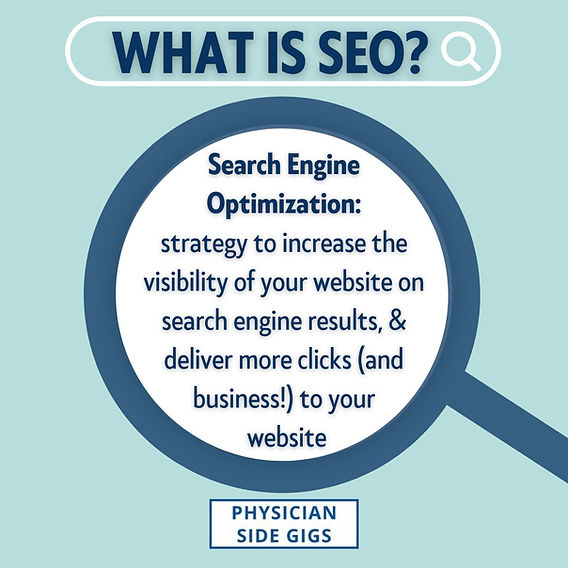
On-site search engine optimization (SEO) is the process of improving the pages and structure of your website so search engines can better understand your content—and visitors can more easily find what they need. It includes elements such as page titles, headings, written content, internal links, images, and technical details.
Strong on-site SEO does more than help a page appear in search results. It also helps people navigate your site, understand your offerings, and take the next step. The best approach is to create useful, accessible pages for real visitors while making their purpose clear to search engines.
Understand What Your Audience Is Searching For
Start by learning how your intended audience describes its questions, needs, and goals. Keyword research can reveal the words and phrases people use, as well as the kind of information they expect to find.
Consider search intent when planning a page. A person searching for a definition may want a simple explanation, while someone comparing services may be looking for pricing, features, or a consultation. Choose a main topic for each page and make sure the content satisfies the likely intent behind the search.
Use keywords naturally in relevant places, but avoid forcing them into every heading or paragraph. Repetition can make content difficult to read and does not make a page more useful.
Write Clear, Descriptive Page Titles
The page title, often added through the HTML title tag, helps search engines and users understand what a page is about. A good title is specific, concise, and accurate. It should describe the page’s main subject and, where appropriate, include the business or brand name.
Each important page should have its own distinct title. Generic titles such as “Home” or “Services” provide little context, while overly long titles may be shortened in search results. Write for clarity rather than trying to fit in as many keywords as possible.
Create Helpful Headings and Well-Organized Content
Headings make content easier to scan and help communicate its structure. Use one clear main heading for the page, followed by supporting headings that group related information. Keep the heading order logical, and make each heading accurately describe the section that follows.
Answer the visitor’s main question near the beginning of the page, then provide useful details. Break up long sections with descriptive subheadings, lists, examples, or short paragraphs. Thorough content is valuable when it adds meaningful information—not simply because it is long.
Make Each Page Distinct and Useful
Every key page should offer a clear purpose and provide information that is relevant to its audience. Avoid publishing multiple pages that cover nearly identical topics without a meaningful reason. Duplicate or thin content can make it harder for visitors and search engines to understand which page is most relevant.
Make content original, accurate, and up to date. Explain your products, services, processes, or expertise in plain language. Where appropriate, include practical examples, original insights, supporting details, and clear next steps.
Optimize URLs and Internal Links
Keep page URLs readable and descriptive. Short URLs that reflect the page topic are easier to understand than long strings of numbers or unnecessary parameters. Use hyphens to separate words, and avoid changing established URLs unless there is a clear reason.
Internal links connect related pages on your website. They help visitors discover relevant information and help search engines understand how your content fits together. Use descriptive link text that tells people what they can expect after clicking. For example, “read our guide to local SEO” is more informative than “click here.”
Optimize Images and Other Media
Images can make a page more engaging, but large files may slow it down. Resize and compress images appropriately, and choose file formats that balance quality and performance. Use descriptive file names where practical, and write alternative text for images that communicate important information.
Alternative text should describe the image’s purpose in context. Decorative images may not need detailed descriptions, while informative images should have concise, useful alternatives. Avoid stuffing alt text with keywords.
Pay Attention to Technical Foundations
Technical issues can prevent pages from being crawled, indexed, or used comfortably. Check that important pages are accessible, have working links, and use HTTPS. Make sure your site works well on mobile devices and that key content is available to visitors without unnecessary barriers.
Page speed also matters to the user experience. Reduce oversized images, review unnecessary scripts, and work with a developer when deeper performance improvements are needed. Test pages on different screen sizes and fix problems that make content hard to read or interact with.
Use Structured Data Where It Fits
Structured data is a standardized way to describe information on a page, such as a product, organization, event, or article. When implemented correctly, it can help search engines interpret that information. Structured data does not guarantee enhanced search results, and it should accurately reflect content that visitors can see on the page.
Measure Results and Keep Improving
SEO is an ongoing process. Use tools such as Google Search Console and web analytics to review impressions, clicks, search queries, landing-page performance, and visitor behavior. Look for pages that attract relevant traffic, pages that have lost visibility, and content that may need updating.
Make changes based on evidence and give them time to be evaluated. Rankings can fluctuate, and a single metric rarely tells the whole story. Consider whether the page is reaching the right audience and helping visitors accomplish their goals.
On-Site SEO Checklist
- Give every important page a clear purpose and a distinct topic.
- Use accurate, descriptive page titles and headings.
- Address the visitor’s likely search intent.
- Write original, useful, easy-to-read content.
- Link to related pages with descriptive link text.
- Use readable URLs and optimize images.
- Check mobile usability, page speed, HTTPS, and broken links.
- Review performance and update pages when information changes.
Build a Better Experience for Visitors and Search Engines
Effective on-site SEO combines clear content, thoughtful page organization, and sound technical practices. Begin with the needs of your audience, make each page easy to understand, and review your site regularly. Consistent improvements can help visitors find useful information and help search engines interpret your website more accurately.