
On-Site Optimization: A Practical Guide to Improving Your Website
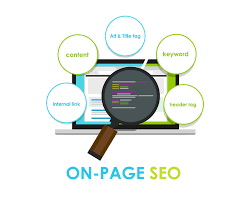
On-site optimization is the process of improving the pages and technical elements of a website so they are easier for people to use and for search engines to understand. It includes content, page titles, internal links, page speed, mobile usability, and other factors that can influence a site’s visibility and performance.
Effective optimization is not about adding keywords everywhere. It starts with understanding what visitors need, then making each page useful, clear, and easy to navigate.
Why On-Site Optimization Matters
A well-optimized website can help visitors find relevant information, understand a business’s products or services, and take the next step. It can also help search engines interpret a page and determine when it may be relevant to a search.
On-site optimization can support several goals:
- Make important pages easier to discover through search.
- Help visitors quickly find the information they need.
- Improve the experience on mobile devices.
- Encourage useful actions, such as making a purchase or contacting a business.
- Make website content easier to maintain and expand over time.
Start With Search Intent
Before revising a page, consider what a visitor is trying to accomplish. Someone searching for general information may need an educational guide, while someone comparing providers may be looking for pricing, features, or service details.
Match the page to that need. A service page should explain what the service includes, who it is for, and how to get started. An informational article should answer the reader’s question clearly and provide helpful context.
Improve Page Titles and Headings
The page title and main heading help visitors and search engines understand what a page is about. Write a distinct, descriptive title for each important page. Keep it concise, accurate, and focused on the page’s main topic.
Use headings to organize the content in a logical order. A page generally has one main heading, followed by subheadings that introduce supporting sections. Headings should describe the content that follows rather than serve only as a place to insert keywords.
Create Useful, Well-Structured Content
Strong page content answers real questions and provides enough detail for visitors to make informed decisions. Use plain language, short paragraphs, and descriptive subheadings to make information easier to scan.
When developing or updating content:
- Explain the topic clearly and accurately.
- Include relevant details, examples, and next steps.
- Remove outdated, repetitive, or unclear information.
- Use keywords naturally when they fit the subject.
- Review claims and update information when circumstances change.
There is no ideal word count for every page. The right length depends on the topic and what readers need. Focus on usefulness and clarity rather than adding text simply to make a page longer.
Write Clear Meta Descriptions
A meta description is a short summary that may appear below a page title in search results. It does not guarantee a particular ranking or display, but a clear description can help people decide whether a result is relevant to them.
Write a unique description for each important page. Summarize its main benefit or topic, use natural language, and avoid promising something the page does not deliver.
Use Images Thoughtfully
Images can make a page more engaging and help explain complex ideas. Optimize images so they do not unnecessarily slow down the page. Use appropriate file formats and dimensions, and compress large files when practical.
Write alternative text for images that convey meaningful information. Alt text should describe the image’s purpose in context, not repeat a list of keywords. Decorative images can often use empty alt text so screen readers can skip them.
Build Helpful Internal Links
Internal links connect pages on the same website. They help visitors explore related information and can help search engines discover pages. Link to relevant pages using clear anchor text that describes what a visitor will find.
For example, a blog post about choosing a marketing service could link to the related service page or a detailed pricing guide. Avoid adding links that do not help the reader or using vague phrases when more descriptive text would be useful.
Make the Website Mobile-Friendly
Visitors use a range of devices, so pages should work well on smaller screens as well as desktop computers. Check that text is readable, buttons are easy to tap, menus are simple to use, and important content does not require excessive scrolling or zooming.
Mobile usability is not limited to screen size. Consider how quickly a page loads, whether forms are easy to complete, and whether key information is visible without unnecessary distractions.
Pay Attention to Page Speed and Technical Health
Slow or malfunctioning pages can frustrate visitors. Review page performance, reduce unnecessary scripts, optimize large images, and investigate broken links or errors. Technical improvements should be tested carefully to ensure they do not disrupt the site’s functionality.
Also confirm that important pages can be accessed by search engines. Check for accidental blocking, incorrect canonical tags, duplicate pages, and other technical issues that may affect how content is crawled or indexed.
Consider Structured Data
Structured data is code that helps describe certain information on a page, such as a product, organization, event, or article. When it accurately reflects visible content and follows search engine guidelines, it may help search engines interpret the page. Structured data does not guarantee enhanced search result features, so it should be treated as a way to provide clarity rather than a shortcut to rankings.
Measure Results and Keep Improving
On-site optimization is an ongoing process. Use website analytics and search performance tools to understand how pages are performing. Review metrics such as organic visits, search impressions, click-through rates, engagement, conversions, and technical errors in the context of your business goals.
When a page underperforms, look for possible causes. The content may not match search intent, the page may be difficult to use, or visitors may not see a clear next step. Make focused changes and monitor their impact over time.
On-Site Optimization Checklist
- Each page has a clear purpose and serves a specific visitor need.
- Page titles and headings accurately describe the content.
- Content is useful, current, readable, and organized.
- Images are appropriately sized and have suitable alt text.
- Relevant pages are connected with helpful internal links.
- The page works well on mobile devices.
- Page speed, links, forms, and other functions have been checked.
- Search engines can access the pages intended for indexing.
- Performance is reviewed regularly, and updates are based on evidence.
Final Thoughts
On-site optimization brings together helpful content, sound page structure, accessible design, and reliable technical performance. The strongest approach puts the visitor first: understand what people need, make the answer easy to find, and keep the experience working smoothly. Regular reviews can help a website remain useful as customer needs, technology, and search behavior change.