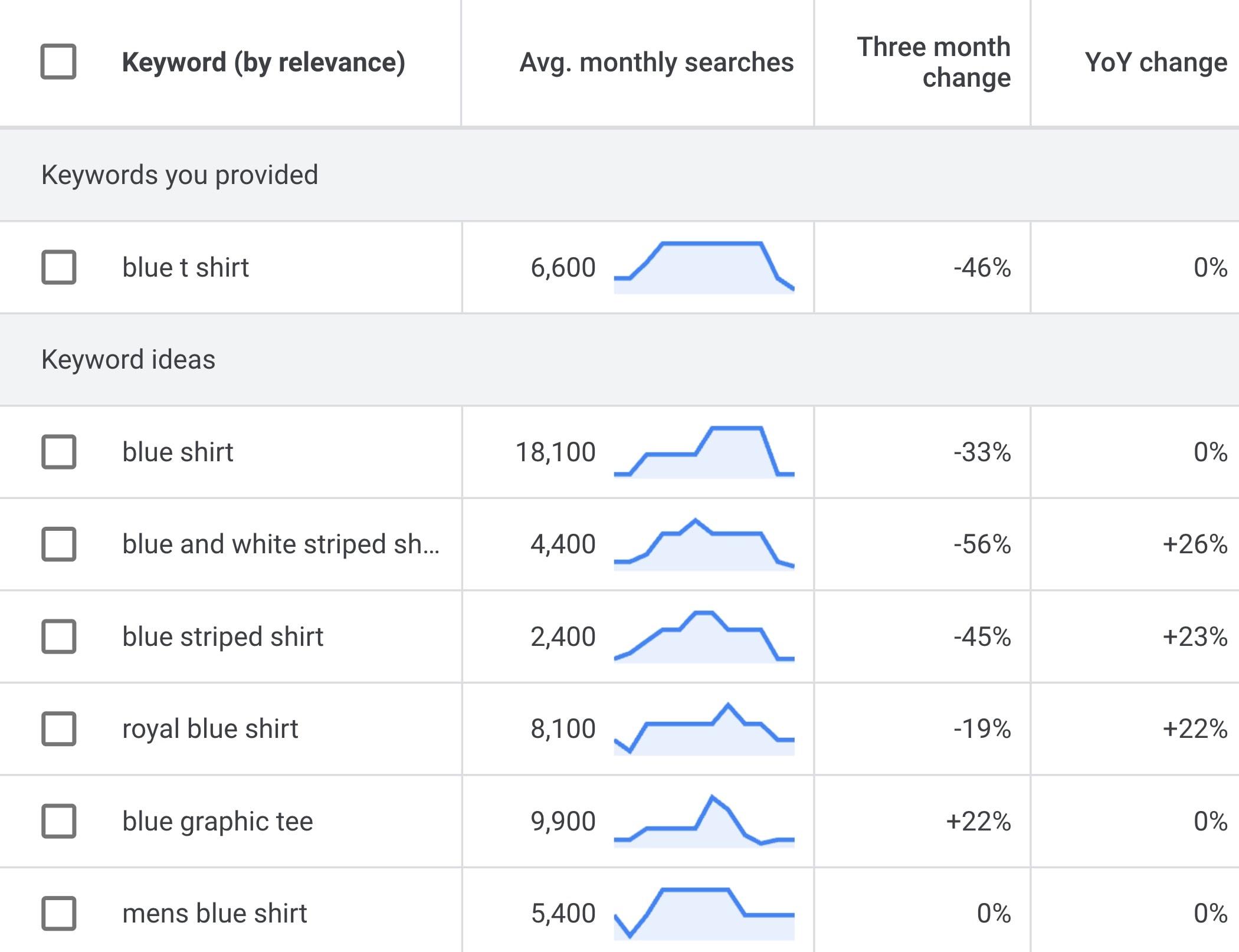
Google Ads Keyword Planner is a powerful tool that allows marketers to research and analyze keywords for their advertising campaigns. This tool provides valuable insights into search volume, competition level, and potential cost-per-click for specific keywords, helping businesses optimize their ad targeting and budget allocation.
One of the key features of Google Ads Keyword Planner is its ability to generate keyword ideas based on a seed keyword or website URL. By entering relevant terms or phrases related to your business, you can uncover new keyword opportunities that align with your target audience’s search intent.
Furthermore, Google Ads Keyword Planner offers historical data on keyword performance, allowing marketers to identify trends and seasonality in search behavior. This information can inform strategic decisions on when and how to adjust bidding strategies to maximize ROI.
In addition to keyword suggestions, Google Ads Keyword Planner provides estimates on search volume and cost-per-click for selected keywords. This data helps advertisers forecast potential traffic and budget requirements for their campaigns, enabling them to make informed decisions on resource allocation.
Overall, Google Ads Keyword Planner is an indispensable tool for any marketer looking to drive targeted traffic to their website through paid advertising. By leveraging the insights provided by this tool, businesses can create more effective ad campaigns that reach the right audience at the right time.
To maximize the effectiveness of your Google Ads campaigns, it is crucial to use specific keywords that are directly relevant to your business or product. By selecting keywords that accurately reflect what you offer, you increase the likelihood of attracting high-quality leads who are actively searching for your offerings. Specific keywords help ensure that your ads are displayed to users who are more likely to convert, ultimately improving the ROI of your advertising efforts. Additionally, using precise keywords can help you stand out from competitors and capture the attention of potential customers who are in the market for products or services like yours.
Filtering by location in Google Ads Keyword Planner is a valuable tip to target your desired audience effectively. By specifying the geographic locations where you want your ads to appear, you can tailor your keyword research to reflect the search behavior of users in those areas. This allows you to create more relevant and targeted campaigns that are likely to resonate with local audiences, increasing the chances of driving qualified traffic and conversions. Filtering by location not only helps optimize your ad targeting but also ensures that your advertising budget is allocated efficiently to reach the right audience segments.
By utilizing the “Check keyword trends and search volume” feature in Google Ads Keyword Planner, marketers can gain valuable insights into the popularity and seasonality of specific keywords. Monitoring keyword trends allows businesses to adapt their advertising strategies based on changes in search behavior, ensuring that their campaigns remain relevant and effective. By analyzing search volume data, marketers can identify high-demand keywords and optimize their ad targeting to reach a larger audience. This feature provides essential information for making informed decisions on keyword selection and bidding strategies, ultimately leading to more successful and impactful advertising campaigns.
When using Google Ads Keyword Planner, it is essential to review the competition level associated with each keyword to gauge its difficulty. Understanding the competition level can give valuable insights into how challenging it may be to rank for a specific keyword in paid search results. By assessing keyword difficulty, marketers can make informed decisions about which keywords to target, optimizing their ad campaigns for maximum visibility and effectiveness.
Utilizing negative keywords in Google Ads Keyword Planner is a smart strategy to refine your targeting and improve the effectiveness of your ad campaigns. By specifying keywords that you do not want your ads to show for, you can prevent irrelevant clicks and focus your budget on reaching a more qualified audience. This helps ensure that your ads are displayed to users who are more likely to convert, ultimately increasing the efficiency of your advertising efforts. By incorporating negative keywords into your campaign strategy, you can enhance the relevance of your ads and drive higher-quality traffic to your website.
To enhance the effectiveness of your Google Ads campaigns, consider experimenting with different keyword match types in the Keyword Planner tool. By testing broad match, phrase match, exact match, and broad match modifier options for your keywords, you can uncover varied results in terms of reach, relevance, and cost-effectiveness. Adjusting the match type allows you to fine-tune your targeting strategy and optimize your ad performance based on the specific goals of each campaign. Embracing this versatility in keyword matching can help you discover new opportunities to connect with your target audience and achieve better outcomes in your advertising efforts.
