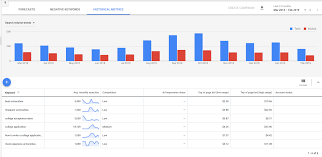
If you’re looking to boost your online presence and drive targeted traffic to your website, Google AdWords Keyword Planner is a tool you can’t afford to overlook. This powerful tool provides invaluable insights into the search behavior of users, helping you identify relevant keywords that can elevate your advertising campaigns to new heights.
With Google AdWords Keyword Planner, you can research keywords, analyze their search volume and competition levels, and discover new keyword ideas that align with your business objectives. By leveraging this data-driven approach, you can create highly targeted ads that reach the right audience at the right time.
Using Google AdWords Keyword Planner is straightforward. Simply sign in to your Google Ads account, navigate to the Tools section, and select Keyword Planner. From there, you can enter seed keywords or phrases relevant to your business and explore keyword suggestions based on search volume and relevance.
By refining your keyword list and incorporating high-value terms into your ad campaigns, you can enhance the visibility of your ads and attract qualified leads to your website. With Google AdWords Keyword Planner as your ally, you have the tools needed to optimize your advertising strategy and achieve measurable results.
In conclusion, Google AdWords Keyword Planner is a must-have tool for any digital marketer looking to maximize the impact of their online advertising efforts. By harnessing the power of data-driven insights and strategic keyword selection, you can unlock new opportunities for growth and success in the competitive world of online marketing.
To maximize the effectiveness of your Google AdWords campaigns, it is crucial to use specific keywords that are directly relevant to your business or product. By targeting specific keywords that accurately reflect what you offer, you increase the chances of reaching potential customers who are actively searching for your offerings. Specific keywords not only help improve the quality and relevance of your ads but also enhance your overall campaign performance by attracting users who are more likely to convert. Utilizing precise and relevant keywords through Google AdWords Keyword Planner can significantly boost the success of your advertising efforts and drive targeted traffic to your website.
By utilizing the feature to filter results by location in Google AdWords Keyword Planner, you can precisely target your desired audience based on geographical parameters. This strategic approach allows you to tailor your advertising campaigns to specific regions, ensuring that your message reaches the right people in the right place. By honing in on local search trends and preferences, you can optimize your keyword selection to resonate with your target audience and drive meaningful engagement with your brand.
By utilizing the keyword suggestions feature in Google AdWords Keyword Planner, you can uncover fresh ideas and variations that may have been overlooked. This valuable tool not only helps you expand your keyword list but also provides insights into alternative terms that can enhance the effectiveness of your ad campaigns. By exploring these suggestions, you can discover untapped opportunities to reach a broader audience and refine your targeting strategy for optimal results.
When utilizing Google AdWords Keyword Planner, it is essential to check the search volume and competition metrics for keywords to assess their popularity and effectiveness in driving traffic to your website. By analyzing search volume, you can determine how frequently users are searching for specific keywords, helping you prioritize those with higher demand. Additionally, evaluating keyword competition levels enables you to gauge the competitiveness of each term and tailor your strategy accordingly to maximize visibility and engagement. This data-driven approach ensures that your ad campaigns target relevant keywords that resonate with your audience and yield optimal results.
When utilizing Google AdWords Keyword Planner, it is advisable to consider incorporating long-tail keywords into your strategy to attract more targeted traffic to your website. Long-tail keywords are specific phrases that typically have lower search volume but higher conversion rates. By focusing on long-tail keywords that reflect the intent of potential customers, you can reach a more qualified audience and increase the likelihood of driving valuable traffic to your site. This targeted approach can lead to improved click-through rates and ultimately result in a higher return on investment for your advertising campaigns.
To optimize your Google AdWords campaigns effectively, consider creating separate ad groups for different keyword themes. By organizing your keywords into distinct groups based on relevance and similarity, you can tailor your ad copy and landing pages to better align with the search intent of users. This targeted approach not only improves ad relevance and quality scores but also allows for more precise budget allocation and performance tracking. Ultimately, creating separate ad groups for different keyword themes can enhance the overall effectiveness of your advertising efforts and drive better results for your campaigns.
To maximize the effectiveness of your Google AdWords campaigns, it is crucial to regularly review and update your keyword list based on performance. By analyzing the performance metrics of your keywords, such as click-through rates and conversion rates, you can identify high-performing keywords that drive results and low-performing keywords that may need adjustment or replacement. Continuously refining your keyword list ensures that your ad campaigns remain relevant, targeted, and optimized for success in reaching your desired audience and achieving your marketing goals.
Setting a budget and bid strategy that aligns with your goals is crucial when using Google AdWords Keyword Planner. By establishing a clear budget and determining the right bid strategy, you can optimize your ad campaigns to reach your target audience effectively. Whether you aim to increase website traffic, generate leads, or boost sales, tailoring your budget and bid strategy accordingly will ensure that your advertising efforts are cost-effective and yield the desired results. It’s essential to regularly monitor and adjust your budget and bids to maximize the impact of your campaigns and achieve optimal performance in line with your overarching objectives.
To enhance the effectiveness of your Google AdWords campaigns, it is crucial to continuously monitor and analyze campaign data. By tracking key performance metrics such as click-through rates, conversion rates, and cost per click, you can gain valuable insights into the performance of your ads. Analyzing this data allows you to identify trends, pinpoint areas for improvement, and make informed decisions to optimize the performance of your campaigns. Through diligent monitoring and strategic analysis, you can refine your targeting, adjust bidding strategies, and ultimately drive better results for your advertising efforts on Google AdWords.
